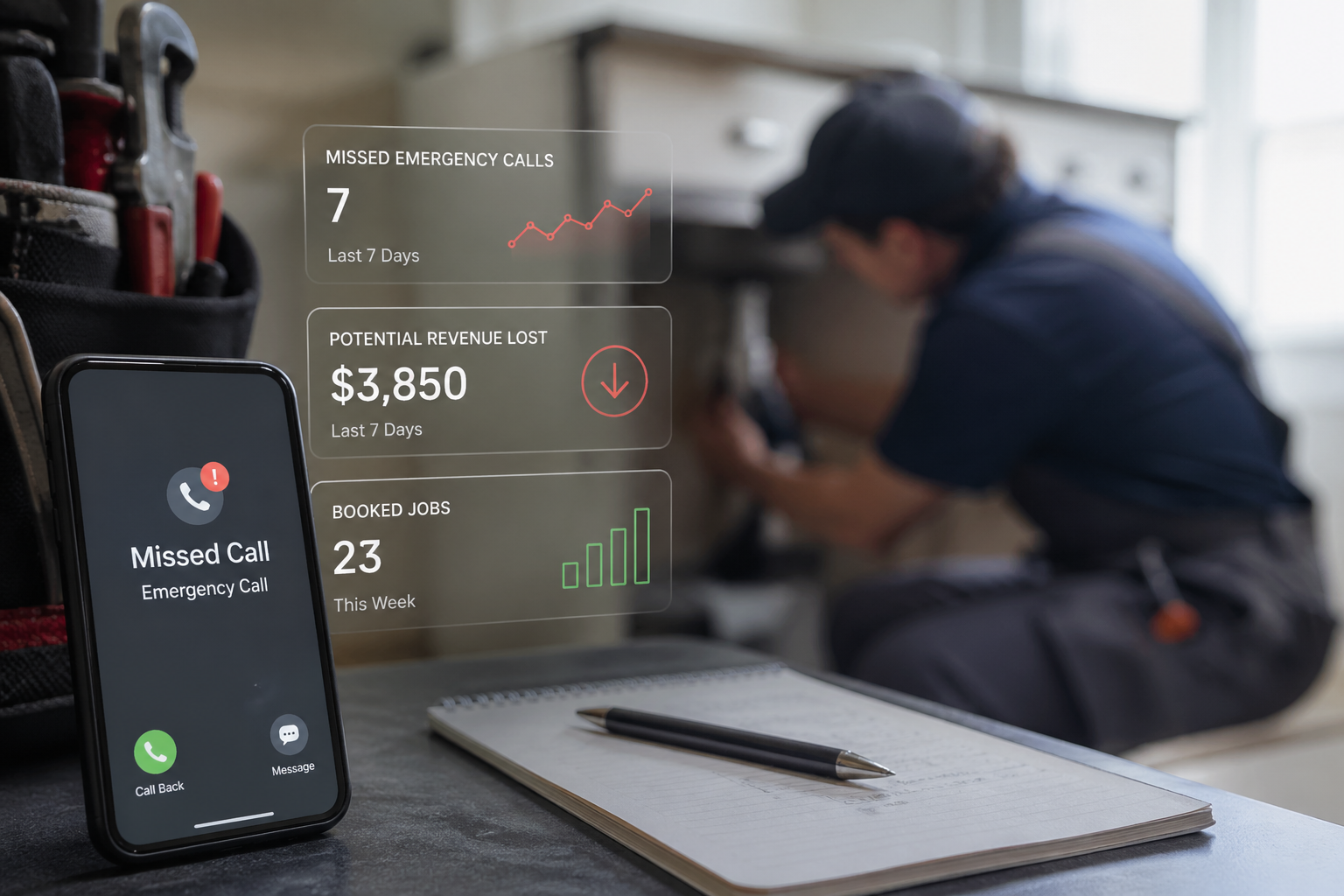
If you're running a home services business, you know the struggle: You're in the middle of fixing a broken pipe, and your phone rings. It could be an emergency. It could be a new customer worth thousands of dollars. Or it could be a spam call. You'll never know because you can't answer.
According to recent industry data, home service businesses miss an average of 27% of incoming calls during peak hours. Each missed call represents an average of $420 in lost revenue. For a busy HVAC company receiving 50 calls per week, that's over $23,000 in lost business every month.
A virtual receptionist for home services solves this problem by ensuring every call is answered professionally, qualified leads are captured, and appointments are scheduled automatically—even when you're on a ladder, under a sink, or driving between jobs.
What Is a Virtual Receptionist for Home Services?
A virtual receptionist is an AI-powered phone system that answers calls, qualifies leads, schedules appointments, and handles customer inquiries 24/7 without requiring a human operator. Unlike traditional answering services that route calls to offshore call centers, modern AI receptionists use natural language processing to have genuine conversations with your callers.
For home service businesses like plumbing, HVAC, electrical, landscaping, and general contracting, a virtual receptionist acts as your dedicated front desk staff—minus the salary, benefits, and scheduling headaches.
How AI Virtual Receptionists Work
When a customer calls your business, the AI receptionist:
- Answers within 2-3 rings with your custom greeting
- Identifies the caller's need through natural conversation
- Qualifies the lead by asking relevant questions about their project
- Checks your availability in real-time from your calendar
- Schedules appointments directly into your booking system
- Handles emergencies by following your custom protocols
- Sends confirmations via text and email to both parties
- Updates your CRM with all call details and customer information
The entire process happens in real-time, just like a human receptionist would handle it—but without ever missing a call or needing a lunch break.
Why Home Service Businesses Need 24/7 Phone Coverage
The Peak Hour Problem
Home services operate in a unique business environment. Your busiest call times (8 AM-10 AM and 5 PM-7 PM) are when you're already on job sites. A study of 500 home service businesses found that:
- 32% of calls come between 7 AM-9 AM (before you start working)
- 28% of calls arrive between 5 PM-8 PM (when you're finishing up)
- 19% of calls happen on weekends
- 12% of calls come after business hours
If you're only answering calls during your traditional "available" hours, you're missing 59% of potential customers.
The Emergency Call Dilemma
When a homeowner has a burst pipe at 11 PM or their AC stops working on a 95-degree Saturday afternoon, they're not leaving a voicemail and waiting for Monday morning. They're calling the first three contractors in their search results, and hiring whoever answers first.
Real example: Mike's Plumbing in Phoenix implemented a virtual receptionist in summer 2024. During their first month, they received 47 after-hours emergency calls. They converted 41 of them into service appointments at premium emergency rates—generating an additional $28,000 in revenue from calls they previously would have missed entirely.
Seasonal Demand Surges
Home service businesses face dramatic seasonal fluctuations:
- HVAC companies see 300% call volume increases during heat waves and cold snaps
- Landscaping businesses get flooded with calls in early spring
- Snow removal services need 24/7 coverage during winter storms
- Pest control experiences surges during warm months
During these peak periods, hiring temporary staff isn't practical. Training takes weeks, and by the time they're effective, the surge is over. A virtual receptionist scales instantly to handle any call volume.
Key Features Every Home Service Virtual Receptionist Must Have
Not all virtual receptionists are created equal. Here's what you absolutely need for a home services business:
1. Real-Time Calendar Integration
Your virtual receptionist must sync with your existing scheduling system—whether that's ServiceTitan, Jobber, Housecall Pro, or Google Calendar. When a customer wants to book a Tuesday afternoon appointment, the system should:
- Check your actual availability in real-time
- Know about existing appointments and blocks
- Understand travel time between jobs
- Avoid double-booking
- Update your calendar immediately
2. Emergency Call Protocols
Your virtual receptionist needs customizable rules for handling emergencies:
- Identify urgent situations through keyword detection ("flooding," "no heat," "electrical sparking")
- Follow your escalation procedures
- Contact on-call technicians directly
- Charge premium emergency rates automatically
- Provide estimated arrival windows
3. Lead Qualification Questions
Not every caller is a qualified lead. Your virtual receptionist should ask screening questions like:
- Property type (residential/commercial)
- Location (within your service area?)
- Project timeline (immediate/planning)
- Budget range
- Property ownership (owner/renter)
This information helps you prioritize callbacks and avoid wasting time on unqualified leads.
4. CRM and Software Integration
The best virtual receptionists integrate seamlessly with your existing tech stack:
Field Service Management:
- ServiceTitan
- Jobber
- Housecall Pro
- FieldEdge
- ServiceM8
CRM Systems:
- Salesforce
- HubSpot
- Zoho CRM
- Pipedrive
Communication Tools:
- Slack notifications
- Email updates
- SMS confirmations
- Team messaging platforms
5. Custom Greetings and Scripts
Your virtual receptionist should sound like your business:
- Custom company greeting
- Seasonal promotions mentioned
- Your specific service offerings
- Your brand voice and tone
- Special instructions for different call types
6. Appointment Confirmation and Reminders
Reduce no-shows with automated:
- Same-day confirmation calls/texts
- 24-hour reminder messages
- Day-before confirmations
- Directions to customer location
- Technician arrival updates
7. Multilingual Support
In many markets, Spanish language support is essential. Leading virtual receptionists offer:
- Automatic language detection
- Bilingual conversations
- Translated confirmations
- Cultural considerations in communication
8. After-Hours and Weekend Coverage
True 24/7/365 coverage means:
- No holidays off
- No sick days
- No vacation time
- Instant answer every time
- Consistent service quality around the clock
Top 7 Virtual Receptionist Services for Home Services (2025 Comparison)
Here's an honest comparison of the leading solutions specifically for contractors and home service businesses:
1. DialiQ
Best For: Growing home service businesses needing comprehensive automation
Pricing: starting at $99/month for 50 calls
Key Features:
- Custom integrations with ServiceTitan, Jobber, Housecall Pro
- Advanced emergency call routing
- Tracking dashboard
- Custom appointment logic
- Multi-language support (English/Spanish/french/Mandarin/German and others)
Pros:
- Built specifically for home services
- No per-minute charges
- Easy 10-minute setup
- Excellent emergency handling
- Real customer testimonials from HVAC, plumbing, electrical businesses
Cons:
- Fewer integrations than some competitors
- Newer company (less brand recognition)
Best For: Businesses receiving 200+ calls/month who want predictable pricing
2. Smith.ai
Best For: Businesses wanting human + AI hybrid reception
Pricing: Starting at $240/month for 30 calls (additional calls $8 each)
Key Features:
- Live receptionists backed by AI
- Call screening and routing
- Appointment scheduling
- Lead qualification
Pros:
- Human touch for complex calls
- Good for high-ticket services
- Professional call handling
Cons:
- High cost
- Per-call pricing adds up quickly
- Limited after-hours coverage
- Higher costs for high-volume businesses
Best For: Premium services with lower call volume
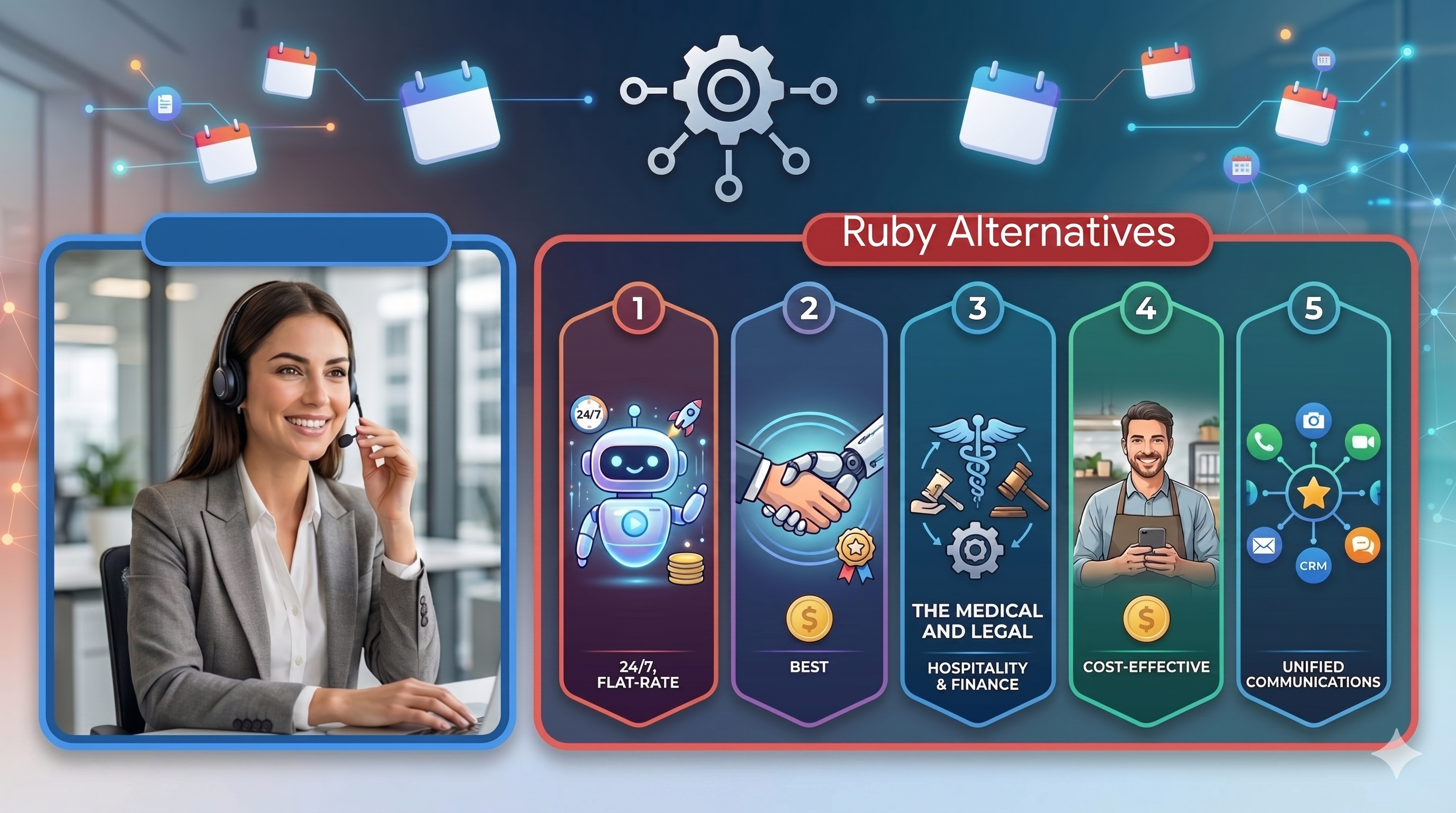
3. Ruby Receptionists
Best For: Established businesses wanting premium virtual reception
Pricing: Starting at $299/month for 100 calls
Key Features:
- Live virtual receptionists
- Bilingual services
- Call transferring
- Basic scheduling
Pros:
- Professional, experienced receptionists
- Personalized service
- Established reputation
Cons:
- Significantly more expensive at scale
- Not truly 24/7 (extended hours only)
- Limited AI automation
- Slow to adopt new technology
Best For: Businesses preferring human receptionists over AI
4. AnswerConnect
Best For: Businesses needing both reception and customer service
Pricing: Starting at $325/month for 200 calls
Key Features:
- 24/7 live answering
- Bilingual services
- Order taking
- Custom scripts
Pros:
- True 24/7 coverage
- Wide range of services
- Industry experience
Cons:
- Per-minute billing after base minutes
- Setup can be complex
- Less tech-forward than AI solutions
Best For: Businesses needing traditional answering service features
5. PATLive
Best For: Budget-conscious businesses with basic needs
Pricing: Starting at $39/month for 20 calls
Key Features:
- Live answering
- Message taking
- Basic appointment scheduling
- Call forwarding
Pros:
- Very affordable entry tier
- Simple setup
- Good for startups
Cons:
- Very limited features at base tier
- Per-call costs escalate quickly
- Basic technology
- Limited integrations
Best For: New businesses with under 50 calls/month
6. Go Answer
Best For: Businesses wanting call center + virtual reception
Pricing: Starting at $79/month for 30 calls
Key Features:
- 24/7 bilingual answering
- Appointment setting
- Order processing
- Emergency dispatch
Pros:
- Competitive pricing
- Good for multiple service types
- Bilingual coverage
Cons:
- Less specialized for home services
- Technology feels dated
- Mixed reviews on call quality
Best For: Multi-service businesses with diverse needs
7. Conversational (AI-Only)
Best For: Tech-forward businesses wanting pure AI solution
Pricing: Starting at $199/month for unlimited calls
Key Features:
- 100% AI-powered
- Custom conversation flows
- Calendar integrations
- CRM sync
Pros:
- Unlimited call pricing
- Highly customizable
- Advanced AI technology
- No human inconsistency
Cons:
- Requires more technical setup
- No human fallback
- Learning curve for optimization
Best For: Businesses comfortable with pure AI and willing to invest in setup
Feature Comparison Matrix
| Feature | DialiQ | Smith.ai | Ruby | AnswerConnect | PATLive | Go Answer | Conversational |
|---|---|---|---|---|---|---|---|
| Unlimited Calls | ✅ | ❌ | ❌ | ❌ | ❌ | ❌ | ✅ |
| 24/7 Coverage | ✅ | Partial | Extended | ✅ | ✅ | ✅ | ✅ |
| AI-Powered | ✅ | Partial | ❌ | ❌ | ❌ | ❌ | ✅ |
| ServiceTitan Integration | ✅ Custom | ❌ | ❌ | ❌ | ❌ | ❌ | Custom |
| Jobber Integration |
✅ Custom |
❌ | ❌ | ❌ | ❌ | ❌ | Custom |
| Emergency Routing | ✅ | ✅ | Partial | ✅ | Partial | ✅ | ✅ |
| Spanish Support | ✅ | ✅ | ✅ | ✅ | Limited | ✅ | ✅ |
| Setup Time | 10 min | 2-3 days | 3-5 days | 2-4 days | 1-2 days | 2-3 days | 1-2 hrs |
| Contract Required | No | No | No | Yes | No | No | No |
Total Cost of Ownership Analysis
Let's calculate the real cost over 12 months for a busy home services business receiving 300 calls per month:
Dialiq
- Monthly: $99
- Annual: $1,188
- Cost per call: $1.98
Smith.ai
- Base: $240/month (30 calls)
- Additional: 270 calls × $8 = $2,160
- Monthly total: $2,400
- Annual: $28,800
- Cost per call: $8.00
Ruby Receptionists
- Base: $299/month (100 calls)
- Additional: 200 calls × $5 = $1,000
- Monthly total: $1,299
- Annual: $15,588
- Cost per call: $4.33
AnswerConnect
- Base: $325/month (200 calls)
- Additional: 100 calls × $3.50 = $350
- Monthly total: $675
- Annual: $8,100
- Cost per call: $2.25
Key Insight
For businesses handling 200+ calls per month, unlimited plans become dramatically more cost-effective. The break-even point is typically around 150-180 calls per month.
Integration with Field Service Management Software
One of the most critical factors for home service businesses is how well your virtual receptionist integrates with your existing software. Here's what you need to know:
ServiceTitan Integration
What Works:
- Automatic job booking creation
- Real-time calendar availability checking
- Customer data sync (new and existing)
- Service address validation
- Price book integration for accurate quotes
- Membership status verification
Setup Process:
- Connect ServiceTitan account via OAuth
- Map your service types and job durations
- Set availability rules and buffer times
- Configure emergency vs. standard routing
- Test booking flow end-to-end
Time to Implement: 15-20 minutes
Customer Success Rate: When properly configured, ServiceTitan integration reduces scheduling errors by 94% compared to manual entry.
Jobber Integration
What Works:
- Job creation from call data
- Client profile creation
- Real-time schedule checking
- Quote request generation
- Work request categorization
- Follow-up task creation
Setup Process:
- Generate Jobber API key
- Configure job types and durations
- Set team member availability
- Map custom fields
- Enable automatic quote follow-up
Time to Implement: 10-15 minutes
Pro Tip: Use Jobber's "visit window" feature in combination with AI scheduling to give customers realistic arrival times while maximizing routing efficiency.
Housecall Pro Integration
What Works:
- Appointment scheduling
- Customer database sync
- Service area verification
- Dispatch optimization
- Automated confirmations
- Payment processing coordination
Setup Process:
- Connect Housecall Pro account
- Define service offerings and durations
- Set scheduling parameters
- Configure customer notification preferences
- Enable payment collection options
Time to Implement: 10-12 minutes
Unique Advantage: Housecall Pro's customer portal integrations allow AI to send booking confirmations that customers can manage themselves.
Integration Troubleshooting
Common Issues and Solutions:
Problem: Double bookings occurring
Solution: Ensure buffer times are configured in both systems; set AI to check calendar before confirming
Problem: Customer information not syncing
Solution: Verify API permissions; check field mapping; ensure proper formatting
Problem: Service area validation failing
Solution: Update zip code or radius settings; verify address parsing rules
Problem: Emergency calls not routing correctly
Solution: Review keyword triggers; test escalation rules; verify contact numbers
Pricing Models Explained: What You're Really Paying For
Understanding pricing structures helps you choose the most cost-effective solution for your call volume:
Per-Minute Pricing
How It Works: Charged for every minute spent on calls Typical Rates: $1.25-$3.50 per minute Best For: Very low call volume (under 50 calls/month)
Hidden Costs:
- Minimum charge per call (often 3-5 minutes)
- Setup and onboarding fees ($100-500)
- Integration costs ($200-600)
- Hold time counts toward billable minutes
Real Example: A 4-minute call at $2.50/minute = $10. If you receive 250 calls/month averaging 4 minutes, that's $2,500/month.
Per-Call Pricing
How It Works: Flat rate per call regardless of duration Typical Rates: $3-$10 per call Best For: Predictable call durations
Hidden Costs:
- Base subscription fee ($50-300/month)
- Calls exceeding time limit charged extra
- After-hours surcharges (20-50% premium)
- Holiday and weekend premiums
Real Example: $5 per call + $99 base fee. At 300 calls/month = $1,599/month.
Tiered Monthly Plans
How It Works: Set number of calls included; pay extra after limit Typical Rates: $200-600/month for 50-200 calls Best For: Relatively consistent monthly volume
Hidden Costs:
- Overages can be expensive ($5-15 per call over)
- Unused calls don't roll over
- Annual contract commitments
- Upgrading to higher tier mid-month
Real Example: $399/month for 200 calls. You receive 280 calls; 80 overages at $7 each = $959 total.
Unlimited Plans
How It Works: One flat monthly fee, unlimited calls Typical Rates: $199-399/month Best For: High-volume businesses, seasonal fluctuations
What to Watch:
- Fair use policies (some cap at 500-1000 calls)
- Feature limitations on lower tiers
- Setup and integration fees
- Support responsiveness
Real Example: $299/month unlimited. Even at 500 calls = $0.60 per call.
When to Choose Unlimited vs. Per-Call Pricing
Choose Unlimited If:
- You receive 150+ calls per month
- Call volume varies seasonally
- You want predictable budgeting
- You're growing rapidly
- After-hours and weekend calls are common
Choose Per-Call If:
- You receive under 75 calls per month
- Call volume is very consistent
- You're bootstrapping and need lowest upfront cost
- Most calls occur during standard business hours
- You have backup reception coverage
The Math:
- At 50 calls/month: Per-call is usually cheaper
- At 150 calls/month: Break-even point
- At 200+ calls/month: Unlimited is significantly cheaper
Implementation Checklist: Getting Started in 10 Steps
Ready to implement a virtual receptionist? Follow this proven process:
Week 1: Planning & Selection
Day 1-2: Audit Current Call Handling
- Track call volume for past 30 days
- Calculate missed call percentage
- Document peak call times
- List common call types
- Identify biggest pain points
Day 3-4: Define Requirements
- List must-have features
- Identify software integrations needed
- Determine budget range
- Specify service area parameters
- Outline emergency protocols
Day 5-7: Evaluate Options
- Request demos from top 3 providers
- Compare pricing for your volume
- Read user reviews (especially home services)
- Verify integration compatibility
- Check contract terms and flexibility
Week 2: Setup & Configuration
Day 8-9: Initial Setup
- Sign up for chosen service
- Connect phone number(s)
- Integrate calendar/scheduling system
- Connect CRM if applicable
- Set up user accounts for team
Day 10-11: Customize Greeting & Scripts
- Write company greeting
- Create service-specific call flows
- Configure emergency handling
- Set up after-hours messaging
- Add seasonal promotion mentions
Day 12-13: Test Everything
- Make test calls during business hours
- Test after-hours routing
- Verify appointment booking
- Check calendar syncing
- Test emergency escalation
Day 14: Train Team
- Walk through how system works
- Show how to access call logs
- Demonstrate appointment management
- Explain emergency notifications
- Set expectations for monitoring
Week 3: Launch & Optimization
Day 15: Soft Launch
- Route 25% of calls to virtual receptionist
- Monitor closely for issues
- Gather team feedback
- Make necessary adjustments
Day 16-18: Full Launch
- Route 100% of calls
- Update website and marketing materials
- Inform existing customers
- Set up monitoring alerts
Day 19-21: Fine-Tuning
- Review call recordings
- Adjust scripts based on real calls
- Optimize qualification questions
- Refine routing rules
- Address any customer feedback
Measuring Success: Key Metrics to Track
How do you know if your virtual receptionist is working? Track these metrics monthly:
Call Handling Metrics
Answer Rate
- Target: 98%+ of calls answered
- How to Track: Most systems provide this automatically
- Red Flag: Below 95% indicates technical issues
Average Answer Time
- Target: Under 3 rings (12 seconds)
- Why It Matters: 67% of callers hang up after 4 rings
- Improvement: Most AI systems answer in 2-3 rings
Call Duration
- Target: 3-6 minutes for residential, 6-10 for commercial
- What It Means: Longer calls often indicate good qualification
- Watch For: Very short calls may indicate poor customer experience
Conversion Metrics
Appointment Booking Rate
- Target: 45-65% of calls result in scheduled appointment
- Benchmark: Most home services see 40-50% without virtual reception
- Top Performers: Best systems achieve 60%+ through better qualification
Lead Qualification Rate
- Target: 70%+ of calls from within service area
- Why Important: Reduces wasted time on unqualified leads
- How to Improve: Refine geographical and project-type screening
Emergency Call Conversion
- Target: 85%+ of emergencies converted to appointments
- Premium Value: Emergency calls average 2.3x higher ticket value
- Lost Revenue: Each missed emergency = $600-1,200 lost
Business Impact Metrics
Revenue from Previously Missed Calls
- How to Calculate: (New appointment bookings) × (average ticket value)
- Typical Result: 20-40% revenue increase in first 90 days
- Track: Compare booking volume to pre-implementation baseline
After-Hours Revenue
- New Revenue Stream: Track appointments booked outside business hours
- Typical Impact: 15-25% of total bookings for 24/7 businesses
- Premium Pricing: Often charge 1.5-2x regular rates
Time Savings
- Office Staff Hours: Track hours previously spent on phones
- Technician Interruptions: Measure productivity improvements
- Value: 20-30 hours/week freed up = $20,000-30,000/year savings
Customer Satisfaction
- Response Time Complaints: Should decrease 70-90%
- Overall Rating: Expect 0.3-0.6 star improvement
- Review Mentions: Monitor for positive comments about availability
ROI Calculation Template
Monthly Costs:
- Virtual receptionist: $299
- Integration/setup (amortized): $25
- Total Cost: $324/month
Monthly Benefits:
- Revenue from missed calls: $8,500
- After-hours bookings: $6,200
- Time savings value: $2,400
- Total Benefit: $17,100/month
ROI: ($17,100 - $324) / $324 = 5,177% monthly ROI
Most home service businesses see ROI of 800-3,000% within the first 90 days.
Common Mistakes to Avoid
Learn from others' mistakes. Here are the top pitfalls when implementing virtual receptionists:
Mistake #1: Not Customizing Greeting and Scripts
The Problem: Using generic, default greetings makes your business sound impersonal and can confuse customers.
The Fix:
- Write a greeting that matches your brand voice
- Include your business name and core services
- Mention current promotions or seasonal services
- Update scripts quarterly
Real Example: Compare these greetings:
- ❌ "Hello, you've reached the office. How can I help you?"
- ✅ "Thanks for calling Elite HVAC! We're Phoenix's trusted heating and cooling experts. Are you calling about a repair, maintenance, or new installation?"
Mistake #2: Poor Service Area Definition
The Problem: Accepting calls from customers 50+ miles away wastes everyone's time.
The Fix:
- Define your service area by zip codes or radius
- Have the AI politely decline out-of-area calls
- Provide referrals to other companies when appropriate
- Track declined calls to identify expansion opportunities
Mistake #3: Overlooking Integration Setup
The Problem: Manual data entry defeats the purpose of automation.
The Fix:
- Invest 30-60 minutes in proper integration setup
- Test the connection thoroughly before going live
- Create a checklist of required fields
- Set up error notifications for sync failures
Mistake #4: No Emergency Escalation Plan
The Problem: Customers with genuine emergencies get stuck in standard booking flow.
The Fix:
- Define what constitutes an emergency for your business
- Create keyword triggers ("flooding," "sparking," "no heat")
- Set up direct technician contact for after-hours emergencies
- Test emergency routing monthly
Mistake #5: Set It and Forget It
The Problem: Call scripts become outdated; seasonal services aren't mentioned.
The Fix:
- Review call recordings weekly for first month
- Update scripts seasonally
- Adjust based on customer feedback
- A/B test different approaches
Monthly Review Checklist:
- Listen to 10 random call recordings
- Check booking conversion rates
- Update seasonal promotions
- Refine qualification questions
- Address any customer complaints
Mistake #6: Ignoring Call Analytics
The Problem: Missing opportunities to optimize based on data.
The Fix:
- Review weekly reports on call volume and patterns
- Identify times with most missed calls
- Track which services generate most inquiries
- Use data to adjust marketing spend
Mistake #7: Not Training Your Team
The Problem: Technicians don't understand how the system works, leading to confusion.
The Fix:
- Hold a 30-minute training session
- Create a simple one-page guide
- Show team where to find appointment details
- Explain how emergencies are routed
Frequently Asked Questions
How quickly can I get a virtual receptionist set up?
Most AI-powered virtual receptionists can be fully operational in 10-30 minutes. Human-based services typically require 2-5 business days for receptionist training. The setup process involves:
- Connecting your phone number (5 minutes)
- Integrating your calendar (5-10 minutes)
- Customizing your greeting and scripts (10-15 minutes)
- Testing the system (5-10 minutes)
For ServiceTitan, Jobber, or Housecall Pro users, integration adds about 10 minutes to the setup time.
Will customers know they're talking to AI?
It depends on the system and how you configure it. Modern AI receptionists are remarkably natural-sounding and can handle complex conversations without customers realizing. However, many businesses choose to be transparent, and customers generally don't mind as long as their needs are met efficiently.
What customers care about: Getting answers quickly, booking appointments easily, and being heard. They don't care whether it's AI or human—they care about results.
What happens if the AI can't answer a customer's question?
Quality virtual receptionists have multiple fallback options:
- Transfer to live person: Routes complex calls to available team members
- Schedule callback: Takes detailed message and promises callback within specified timeframe
- Escalation protocols: Identifies when human intervention is needed
- Learning system: Flags unknown questions for you to add to the system's knowledge base
Most systems handle 85-95% of calls completely autonomously. The remaining 5-15% get routed appropriately.
Can virtual receptionists handle multiple calls at once?
Yes! Unlike human receptionists, AI systems can handle unlimited simultaneous calls. During peak periods or emergencies, you'll never get a busy signal or send customers to voicemail. This is especially valuable for:
- Home services during weather emergencies (HVAC, plumbing, electrical)
- Seasonal surges (landscaping in spring, snow removal in winter)
- Marketing campaign responses
- After-hours volume
How does pricing compare to hiring a receptionist?
The comparison is dramatic:
Full-Time Receptionist:
- Salary: $32,000-45,000/year
- Benefits (30%): $9,600-13,500/year
- Payroll taxes: $2,500-3,500/year
- Office space/equipment: $3,000-5,000/year
- Training and management time: $2,000-4,000/year
- Total Cost: $49,100-71,000/year
- Coverage: 40 hours/week (24% of total hours)
Virtual Receptionist:
- Monthly cost: $99-399/month
- Setup: $0-500 (one-time)
- Total Cost: $1,200-5,288/year
- Coverage: 168 hours/week (100% of total hours)
Savings: $43,800-65,700 per year while getting 4x the coverage.
What if I already have an office manager or receptionist?
A virtual receptionist doesn't replace your office manager—it enhances their effectiveness. Instead of answering phones all day, your office manager can focus on:
- Customer relationship management
- Following up on estimates
- Managing complex scheduling
- Handling accounts receivable
- Strategic business development
- Training and team management
Real example: After implementing a virtual receptionist, one plumbing company's office manager increased her estimate follow-up by 300%, resulting in an additional $47,000 in closed business.
Can I use my existing phone number?
Yes! You have several options:
- Forward your existing number: No change needed for customers
- Port your number: Transfer ownership to the new system
- Use new number: Get a dedicated line for the virtual receptionist
Most businesses choose option #1 (call forwarding) because it requires zero customer communication and takes 5 minutes to set up.
How does it handle Spanish-speaking customers?
Leading virtual receptionists offer seamless bilingual support:
- Automatic language detection within first few seconds
- Natural Spanish conversation capability
- Translated confirmations and reminders
- Bilingual call recordings and transcripts
For home service businesses in markets with Spanish-speaking populations (Southwest, Florida, California, Texas), bilingual capability can increase bookings by 20-35%.
What about HIPAA compliance for medical home services?
For businesses providing medical-related home services (home health, medical equipment), HIPAA compliance is critical. Look for virtual receptionists that offer:
- BAA (Business Associate Agreement)
- Encrypted call recording and storage
- PHI (Protected Health Information) handling protocols
- Audit logs for compliance reporting
Most major providers offer HIPAA-compliant tiers, though they may cost 20-30% more than standard plans.
Can I test it before committing?
Yes! Most reputable virtual receptionist services offer:
- 7-14 day free trials
- No credit card required for trial
- Full feature access during trial period
- Easy cancellation if not satisfied
Pro tip: Run the trial during your busy season or peak hours to get the most realistic evaluation of the system's capabilities.
Making Your Decision: Final Considerations
Choosing a virtual receptionist is a significant decision for your home services business. Here's how to make the right choice:
Decision Framework
Evaluate Each Option Based On:
- Total Cost at Your Volume (40% weight)
- Calculate actual monthly cost at your current call volume
- Factor in seasonal fluctuations
- Include setup and integration fees
- Integration Quality (25% weight)
- Does it work with your current software?
- How smooth is the data flow?
- Are there any manual steps required?
- Feature Completeness (20% weight)
- Can it handle your specific use cases?
- Emergency routing capability
- Customization flexibility
- Reliability & Support (15% weight)
- Uptime guarantees
- Support response times
- User reviews and reputation
Three-Step Selection Process
Step 1: Qualify Your Needs
- Calculate your monthly call volume
- List your must-have integrations
- Define your budget range
- Identify your biggest pain point
Step 2: Demo Top 3 Options
- Request personalized demos
- Ask specific questions about your use cases
- Test with real-world scenarios
- Check references from similar businesses
Step 3: Trial Before Committing
- Start with free trial if available
- Test during your busiest period
- Monitor key metrics closely
- Gather team feedback
Ready to Stop Missing Calls?
Every call you miss is a potential customer going to your competitor. Every hour your team spends on the phone is time they're not generating revenue in the field. Every after-hours emergency that goes unanswered is hundreds of dollars in lost premium pricing.
A virtual receptionist for your home services business isn't just about convenience—it's about capturing revenue that's currently slipping through your fingers.
What Happens Next:
When you implement a virtual receptionist, you can expect:
- Week 1: Immediate improvement in answer rates and response times
- Week 2-4: 20-30% increase in appointment bookings
- Month 2-3: Measurable revenue growth from after-hours and weekend coverage
- Month 3+: Freed-up time allowing you to focus on business growth
Three Ways to Get Started:
- Start Free Trial – No credit card required, full features, cancel anytime
- Schedule Demo – See exactly how it works for your business
- Calculate Your ROI – Use our free calculator to estimate your savings
The home service businesses winning in 2025 are those that are available 24/7, respond instantly, and never miss an opportunity. The question isn't whether you can afford a virtual receptionist—it's whether you can afford to keep missing calls.